
 ES
ES EN
ENHow to send Automation Flows via WhatsApp?
With Doppler, you can automate WhatsApp messages in the same way you would set up a classic Email Automation. This allows you to create flows that automatically respond to your Contacts with timely, consistent messages that are aligned with your goals.
First, remember that you must have a Marketing Plan in order to take advantage of this solution. You can start by creating your free account here.
1. Log in to Automation
Within your Doppler account, go to Automation

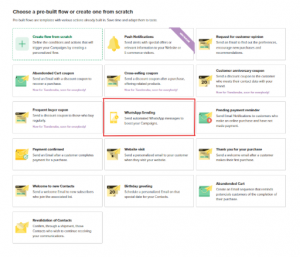
In the Automation types section, select the WhatsApp Send option.
Here you will see the predesigned template that will allow you to start your flow.
2. Set up WhatsApp
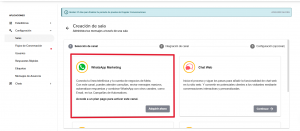
You will then see the following screen where you can create and manage your messages. Select WhatsApp Business to set up and connect your phone number. If you want to learn more about Conversations, read this article.
3. Select the List and set the delivery time
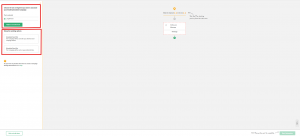
The system will ask you to choose the Contact List to which you want to send the message.
Then you must set whether the delivery will be:
- Immediate, or
- Scheduled, choosing the date and time.
This setting determines when the first step of the flow will be activated.
4. Configure your WhatsApp message
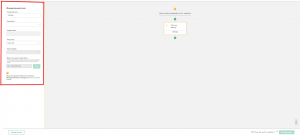
In the Define your WhatsApp block, you can adjust all the elements of the message:
- Room: Select the WhatsApp room from which the message will be sent.
- Phone field: Indicate the custom field in your List where you have stored your Contacts’ numbers.
- WhatsApp Template: Choose the approved template you want to send (it must be previously created in Conversations).
5. Customize the flow
As with any automation, you can add:
- Conditions
- Wait times
- New actions
- Additional WhatsApp messages or other available channels
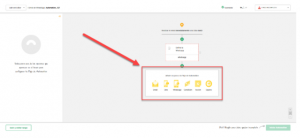
This will allow you to build a complete flow that accompanies your Contacts according to their behavior and the objectives of your Strategy.
6. Start the Automation
When your flow is ready, click Start Automation.
From that moment on, the process will begin to run automatically according to the settings you have established.
That’s it! Your WhatsApp messages will be sent automatically and in an orderly manner, accompanying your contacts at just the right moment.
How to estimate the purchase of WhatsApp Automation?
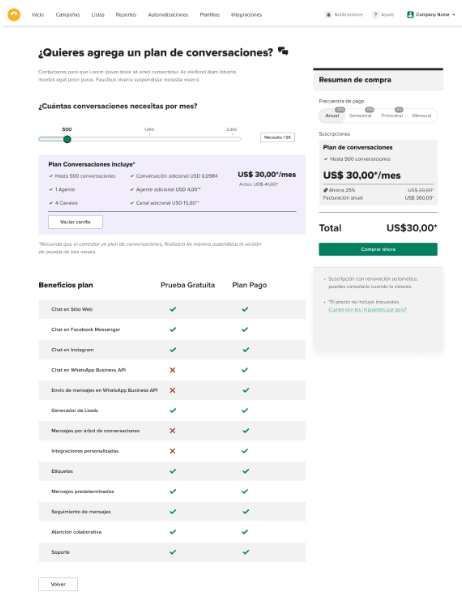
To find out what the cost and what your purchase includes to make these shipments, go to Conversations on the top screen. There you will find all the information regarding the purchase of WhatsApp Automation and other options to complement your Campaign. If you want to know more about Doppler Conversations, how to purchase it in your plan, how to manage it, check here.
From the calculator, you can estimate how many Conversations per month you need and you will see the monthly cost and all the features that your purchase includes. You can also select how often you will make the payment and check out for the payment and start enjoying this massive channel.
Need help?
Our Support team is available to assist you with whatever you need.
Write to us at [email protected] and we will help you move forward.


 Loading...
Doppler informs you that the personal data that you provide to us when completing this form will be treated by Doppler LLC as responsible for this web.
Purpose: To allow you to make comments in our help center.
Legitimation: Consent of the applicant.
Recipients: Your data will be saved by Doppler and Digital Ocean as hosting company.
Additional information: In the Doppler Privacy Policy you’ll find additional information about the collection and use of your personal information by Doppler, including information on access, conservation, rectification, deletion, security, cross-border data transfers and other issues.