
 ES
ES EN
ENHow to Create a Promotional Pop-up Widget
How to Create a Promotional Pop-up Widget
Are you looking to capture more Subscribers and boost Conversions for your business? With Doppler’s Promotional Pop-up, you can display discount coupons to visitors browsing your website.
What is the Promotional Pop-up Widget?
It is a website Pop-up designed to deliver a discount coupon in exchange for your visitors’ contact details. This Widget is built to:
- Capture qualified Leads at key browsing moments.
- Drive Conversions with attractive offers.
- Leverage exit intent before a user leaves the site.
- Retain visitors by showing promotions based on their behavior.
Step-by-Step Configuration
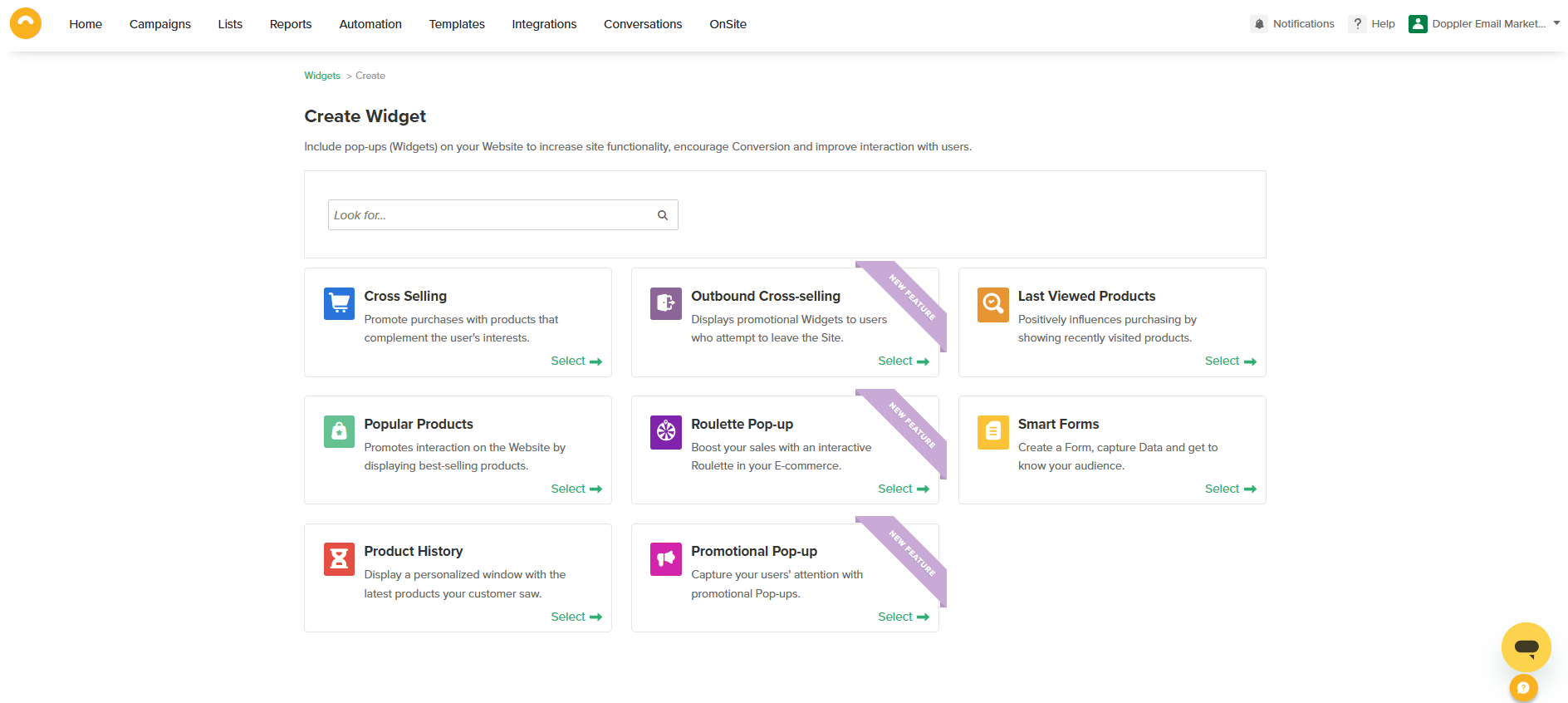
- Access the Platform: Log into your Doppler account, go to the OnSite section in the side menu, and click on My Widgets. Select Promotional Pop-up and click the Create Widget button.
DopplerTip: Ensure your website is correctly integrated with Doppler before proceeding.
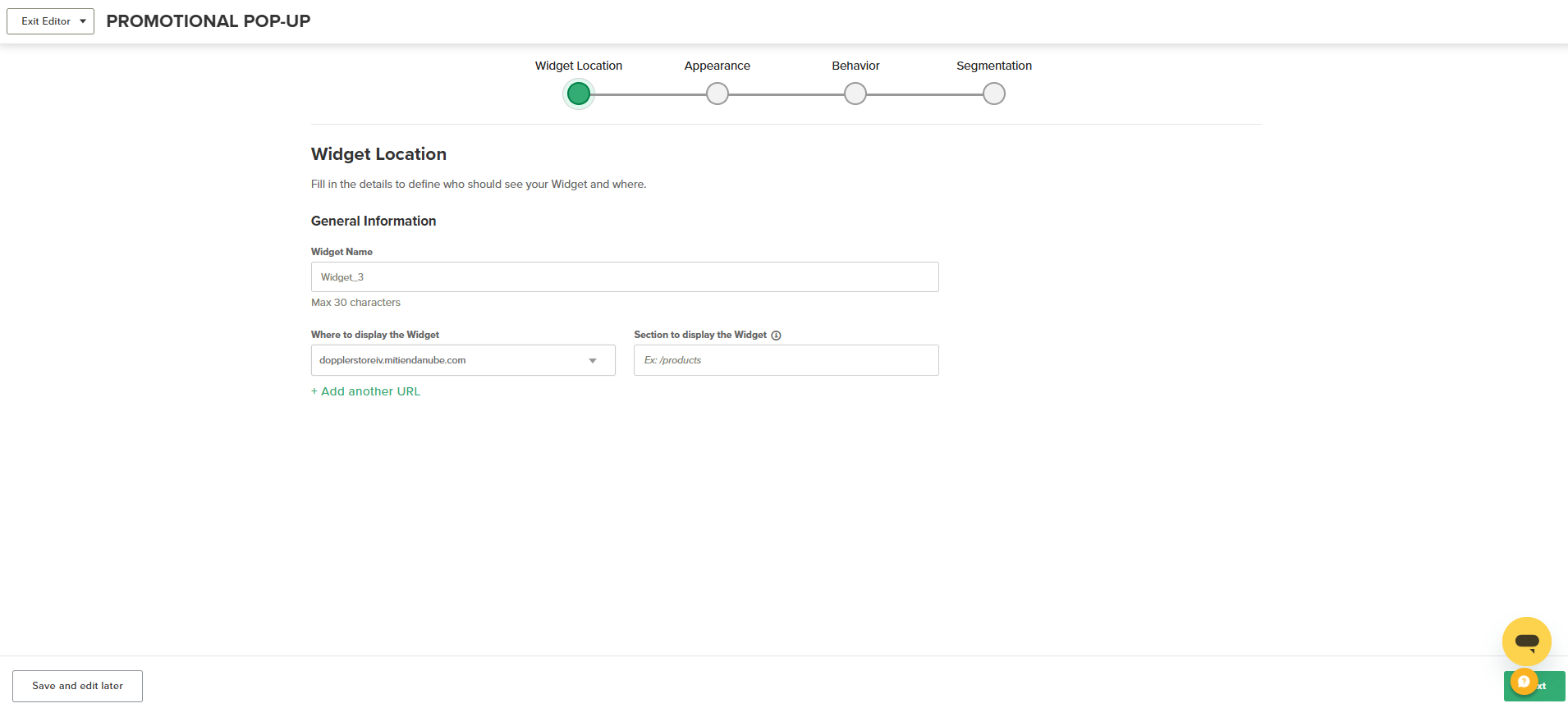
- Verify your Domain: You must connect and verify your website to validate the domain before publishing. You can find detailed steps in the Integrations category of our Help Center.
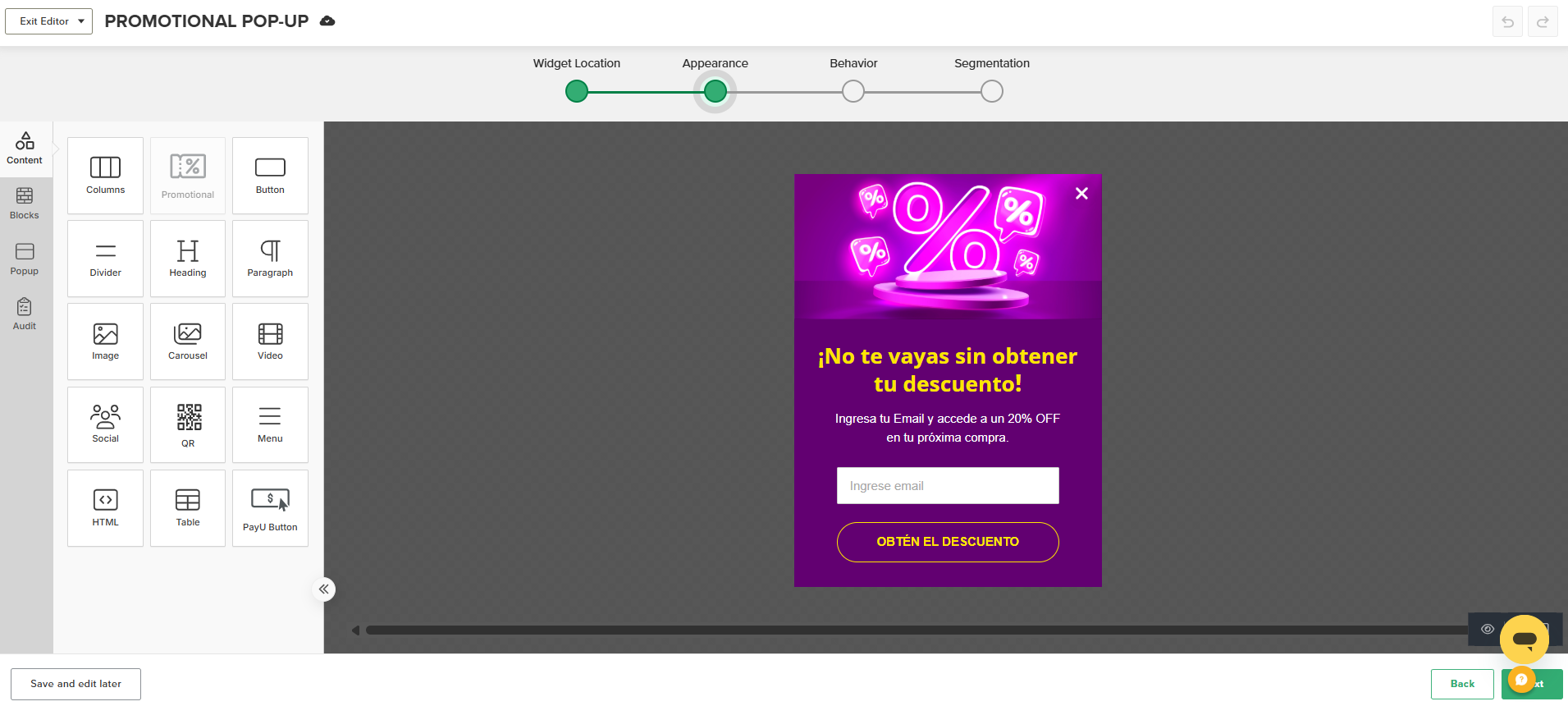
- Design your Pop-up: In this section, you can:
- Edit the promotional message text.
- Upload an image to highlight the benefit.
- Modify colors and fonts to match your brand identity.
- Set up the capture Form with the fields you need (e.g., Email or Name).
DopplerTip: Use clear, persuasive phrases like: “Get 15% off by subscribing now!”
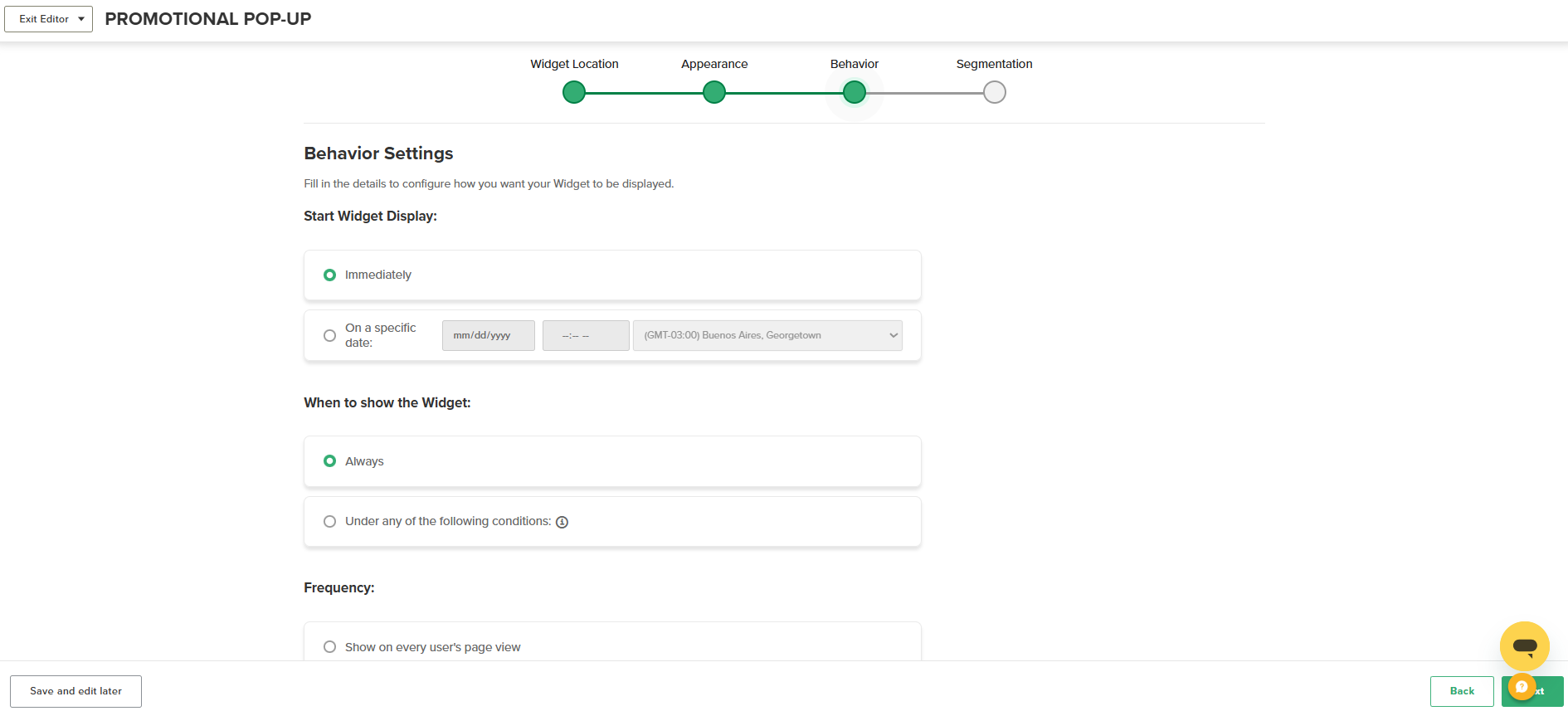
- Define Behavior: Configure when and how the Pop-up appears. You can adjust:
- Display start time and frequency.
- Specific triggers for showing or hiding the Widget.
Doppler Recommends: Trigger the Pop-up upon exit intent to recover potential drop-offs without interrupting the user experience.
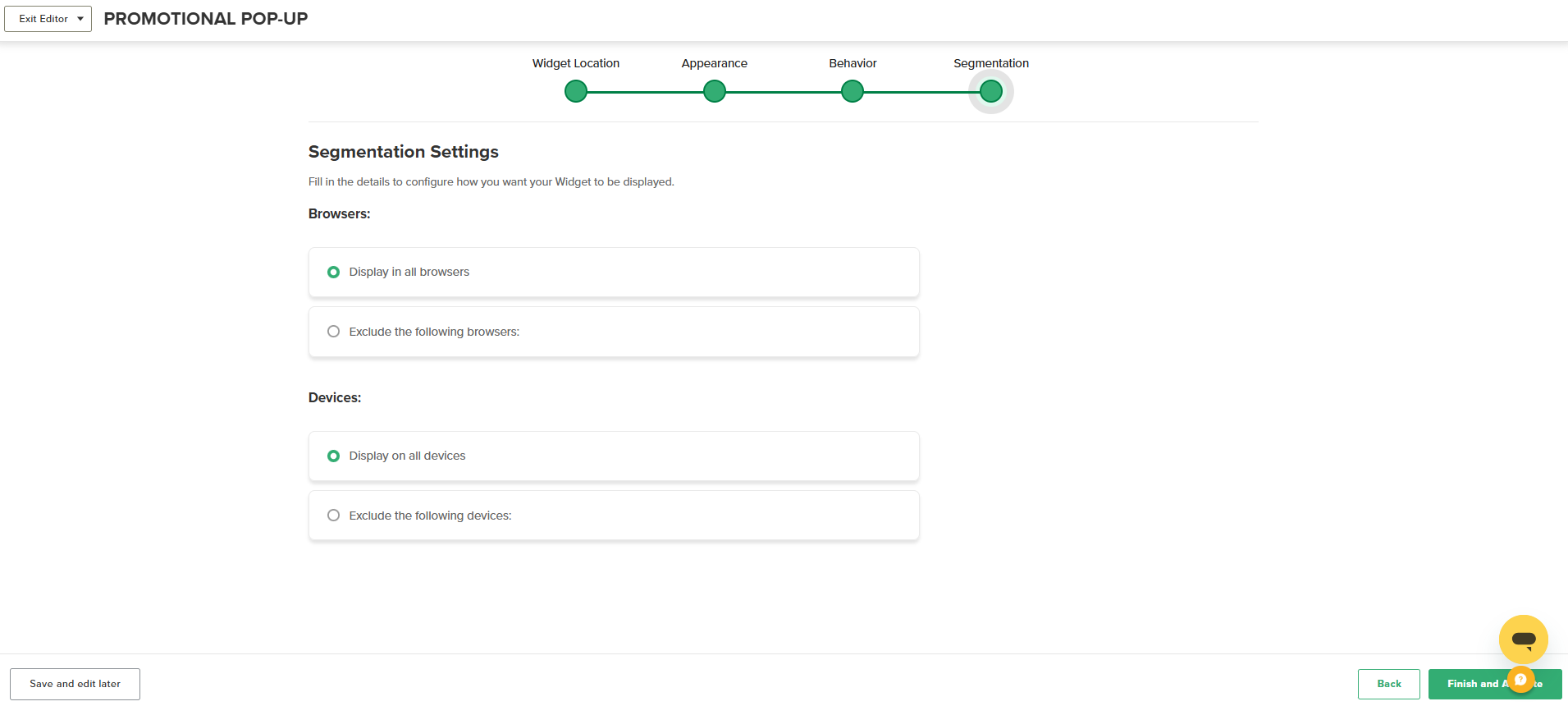
- Segment your Audience: Target your promotion to the right users. You can segment by:
- Browsers.
- Devices.
- Activate: Review the preview to ensure everything is correct, then publish and activate your Widget.
Best Practices for Better Results
- Offer a clear and relevant benefit.
- Keep the design attractive but non-intrusive.
- Integrate the form with a specific List in Doppler to automate future send-outs.
Need help? Contact our support team via WhatsApp or email at [email protected].

 Loading...
Doppler informs you that the personal data that you provide to us when completing this form will be treated by Doppler LLC as responsible for this web.
Purpose: To allow you to make comments in our help center.
Legitimation: Consent of the applicant.
Recipients: Your data will be saved by Doppler and Digital Ocean as hosting company.
Additional information: In the Doppler Privacy Policy you’ll find additional information about the collection and use of your personal information by Doppler, including information on access, conservation, rectification, deletion, security, cross-border data transfers and other issues.