
 ES
ES EN
ENHow to integrate Doppler with Tienda Negocio to boost your sales
Take your e-commerce to the next level! When you connect your store with Doppler, you’re not just syncing data — you’re unlocking an ecosystem of tools designed to turn visitors into repeat customers.
In this guide, you’ll find everything you need to set up the integration and take your first steps. Once you’re connected, you’ll be able to implement advanced strategies to maximize your results:
- Automatically syncs your Customer and Buyer Lists
- Capture more Contacts: Learn how to insert custom forms directly into your store.
- Recover lost sales: Set up an Abandoned Cart Automation to bring back visitors who didn’t finish their purchase.
- Personalize the experience: Use dynamic Discount Coupons and recommend products based on your visitors’ real interests.
- Automate your growth: Create Welcome flows for new contacts or Product Viewed flows to re-engage potential buyers.
- Engage in real time: Add the power of OnSite Marketing to reach your users while they’re browsing.
Step by step: integrating your Doppler account with your Tienda Negocio store
1. The first thing you’ll need to do is log into your Doppler account. Don’t have one yet? It’s time to create one!
2. Once you’re in your account, go to Integrations in the main menu and select Tienda Negocio.
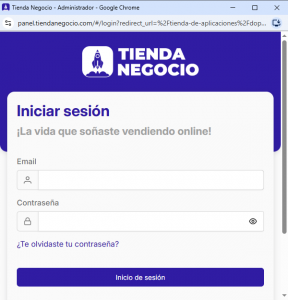
3. Click the Connect button. If you don’t have an active session in your store, a pop-up will open asking you to log in. Fill in your details and click the Log In button.
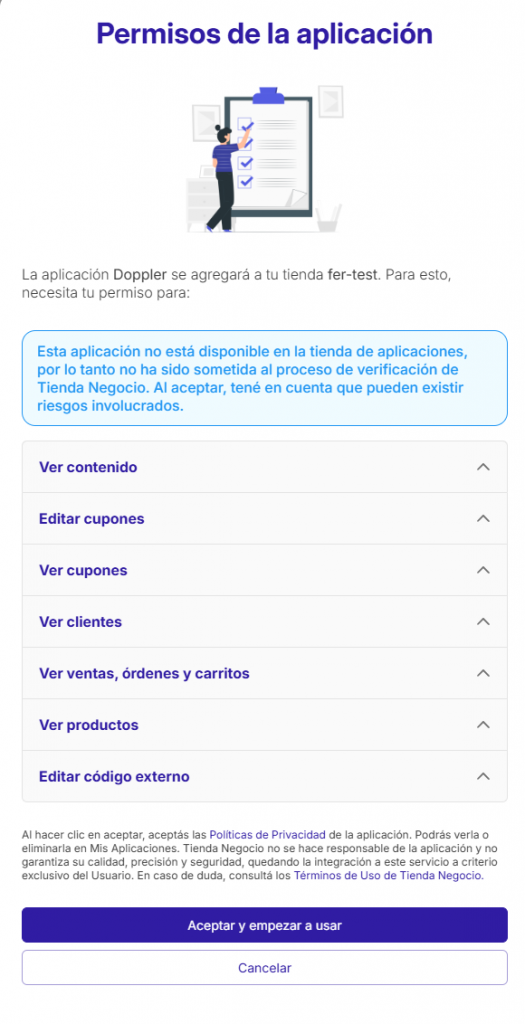
4. In the App Permissions pop-up, scroll down to the bottom, then click the Accept and start using button.
Once they’re connected, you’ll be able to start linking data between both platforms.
In Tienda Negocio, you’ll be able to sync the following entities with your Doppler lists:
- Buyers: people who’ve made purchases and have orders associated worth more than $0,
- Customers: people who’ve signed up in your store or started a purchase process but didn’t finish it.
Important! Make sure you’ve already created the Custom Fields you want to map. Don’t know how to create them? Check out this post.
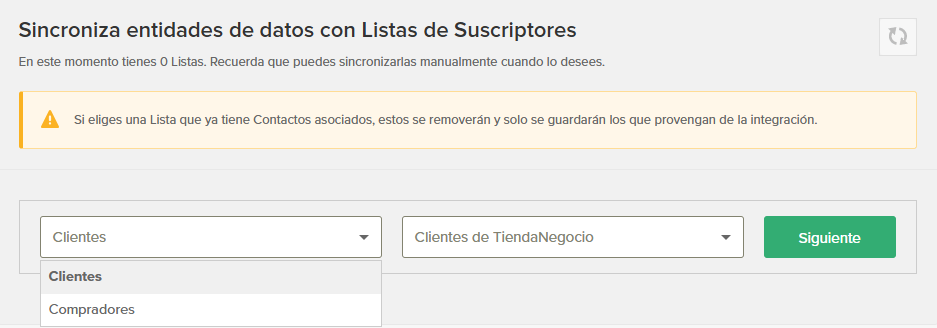
5. Select the entity and the list you want to send the data to, then click the Next button.
6. Map the fields to link Tienda Negocio’s data with Doppler, along with all the info you have about them, which’ll be stored in your account’s Basic and Custom Fields. On the left, you’ll see the info fields you have in Tienda Negocio; on the right, you can open the list of Doppler Fields and pick one, or just leave the default fields as they are.
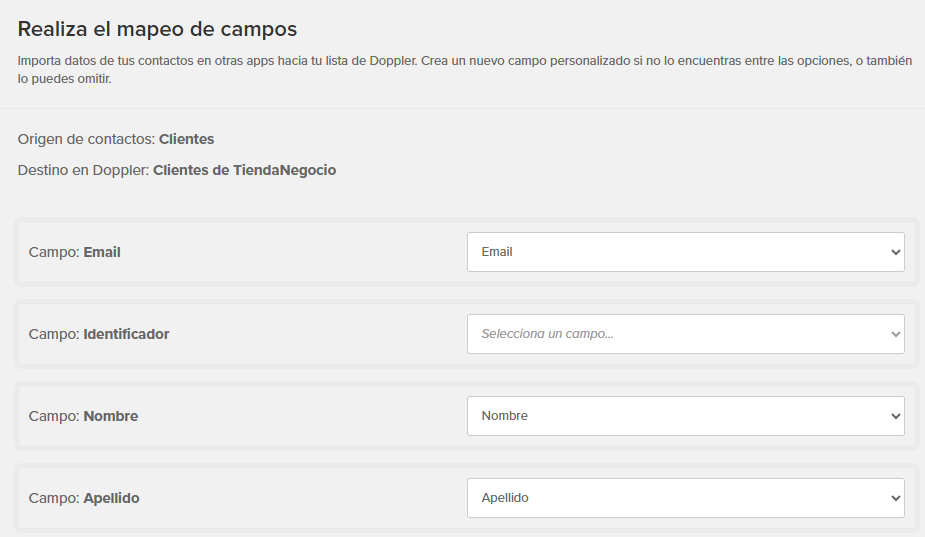
7. Once you’ve set up the mapping, click the Sync button at the bottom of the screen.
8. Repeat the same process for the other entity. From now on, Doppler’ll automatically update your Tienda Negocio entities every five minutes. If you ever need to, you can click the “Sync” 🔄 button on the right, and you’ll see your store’s latest changes reflected in your lists.
That’s it! Both apps are now synced.
We hope you’ll be able to get the most out of your Doppler account and your Tienda Negocio store from here on out. Wishing you lots of success with your campaigns!
-
Apply what you've learned!
-
Create a free account in Doppler and boost your business strategy with Email, Automation & Data Marketing. No monthly sends limits!
SIGN UP FREE No contracts
or credit cards needed
Doppler informs you that the personal data that you provide to us when completing this form will be treated by Doppler LLC as responsible for this web.
Purpose: To allow you to make comments in our help center.
Legitimation: Consent of the applicant.
Recipients: Your data will be saved by Doppler and Digital Ocean as hosting company.
Additional information: In the Doppler Privacy Policy you’ll find additional information about the collection and use of your personal information by Doppler, including information on access, conservation, rectification, deletion, security, cross-border data transfers and other issues.