
 ES
ES EN
ENHow to manage your Operators in Conversations?
Control who talks to your audience. Create, edit, and organize the Operators who respond in your Conversations Rooms, and assign them exactly the Rooms they need.
How to get to Operator management
1. Log in to your Doppler account.
2. Go to Conversations.
3. In the left menu, expand Settings.
4. Click Operators.
From here, you manage all your Operators.
Operator role
An Operator starts and maintains conversations with your audience, and has access to their own stats.
To handle conversations, the Operator logs in with their email and password at https://conversations.prod.fromdoppler.com/.
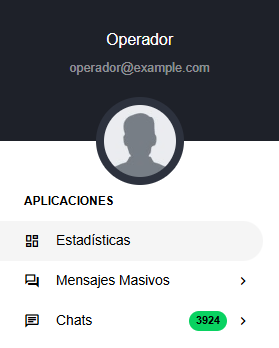
Here’s how the menu looks for an Operator:
Create a new Operator
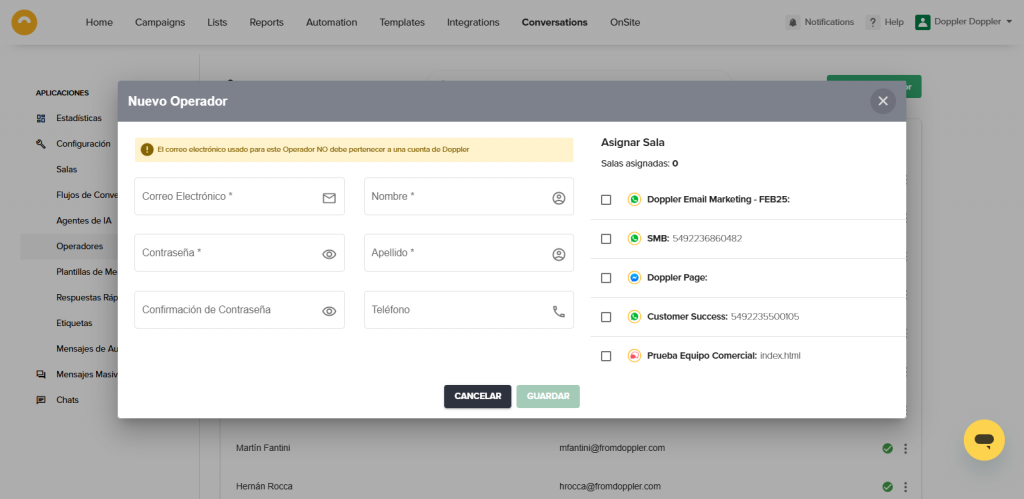
1. Click + New Operator and fill in their details.
2. In Assign Room, choose which Rooms the Operator can handle.
3. Click Save.
The Operator gets a welcome email with their login details for the support panel.
Edit an Operator
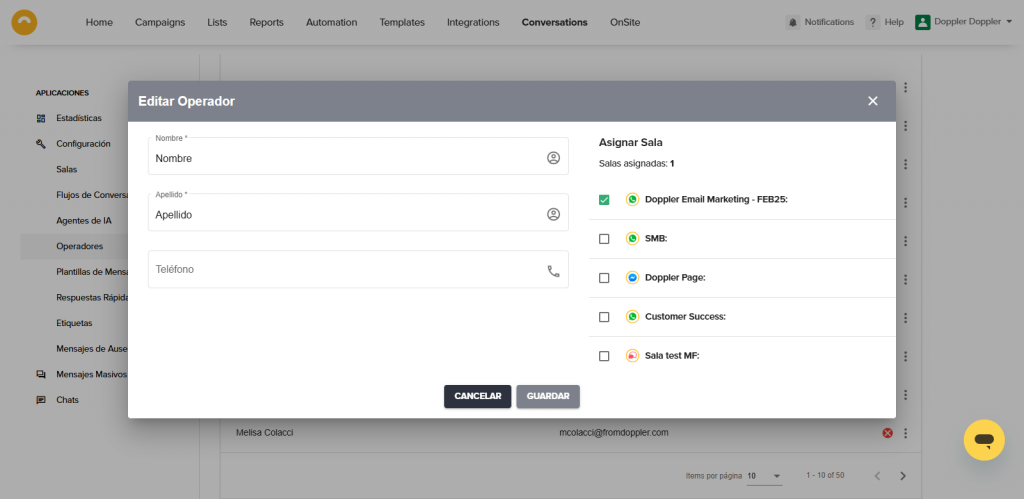
1. Click any Operator on the list. A window opens where you edit their details and assign existing Rooms.
2. Edit their details or change their Room assignment.
3. Click Save.
Done — the details are updated and the Operator can now start conversations in the selected Rooms.
Disable an Operator
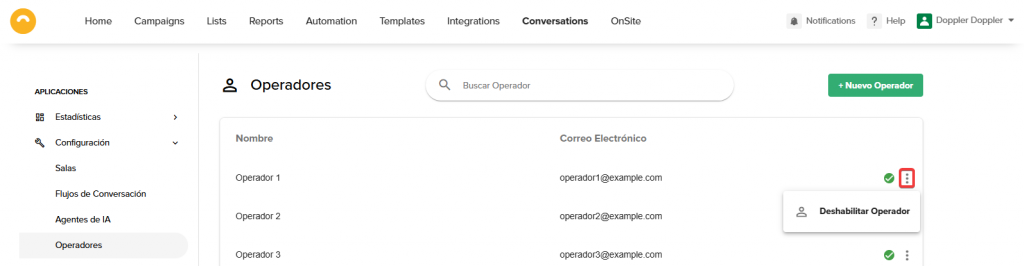
1. Find the Operator you want to disable.
2. Click the three dots and choose Disable Operator.
Done — the ❌ icon means they no longer have access to the support panel.
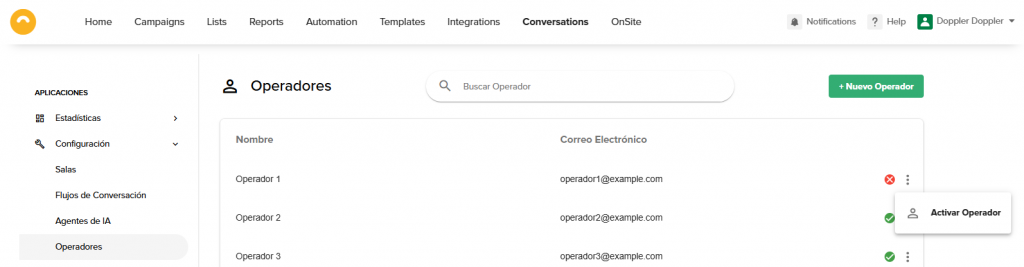
Activate an Operator
1. Find the Operator you want to activate.
2. Click the three dots and choose Activate Operator.
Done — the ✔️ icon means they now have access to the support panel.
Now you know how to manage your Operators and give your audience better support.
Got questions? Reach out on WhatsApp or by email at [email protected]
We’re here to help 💛
-
Apply what you've learned!
-
Create a free account in Doppler and boost your business strategy with Email, Automation & Data Marketing. No monthly sends limits!
SIGN UP FREE No contracts
or credit cards needed


 Loading...
Doppler informs you that the personal data that you provide to us when completing this form will be treated by Doppler LLC as responsible for this web.
Purpose: To allow you to make comments in our help center.
Legitimation: Consent of the applicant.
Recipients: Your data will be saved by Doppler and Digital Ocean as hosting company.
Additional information: In the Doppler Privacy Policy you’ll find additional information about the collection and use of your personal information by Doppler, including information on access, conservation, rectification, deletion, security, cross-border data transfers and other issues.