
 ES
ES EN
ENCreating Smart Subject Lines
When you activate the Smart Subject Line option, Doppler uses Artificial Intelligence to generate different subject line suggestions related to the content of your Campaign, which you can view before finishing the configuration.
These suggestions aim to:
- Provide clear and specific ideas.
- Vary approaches (informative, promotional, direct, etc.).
- Help you find a subject line that captures attention without losing consistency with your message.
Below, we provide step-by-step instructions so you can start using it in your Campaigns.
How to use Smart Subject?
The AI-powered Smart Subject option is available during the campaign subject configuration stage, within the usual flow of creating an email campaign in Doppler.
- Go to Campaigns

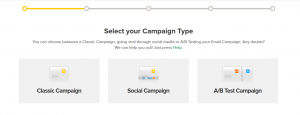
2.Choose the type of Campaign you want to run:
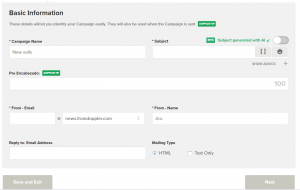
3.After completing the basic Campaign information, you will see a specific option to generate subject line suggestions using AI, clearly identified in the interface.
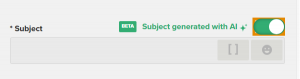
4.Activate AI-generated Subject so that when you edit your Campaign content, you can see these content suggestions.
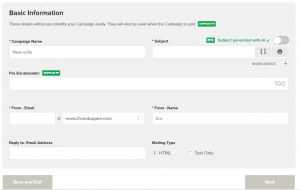
5.Fill in all the information for your Campaign and click Next..
6.Select how you want to import your Campaign content
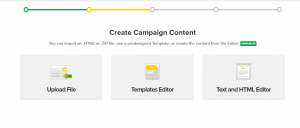
7.Once configured, select the List you want to target with this created Campaign.
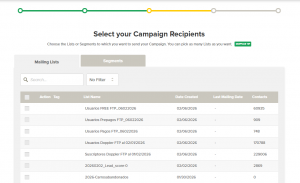
- Then choose the shipping method and delivery date.
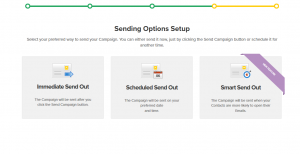
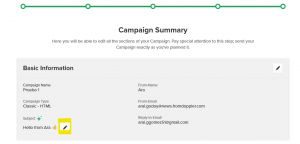
- Done! You have now set up your campaign. A summary of it is below.
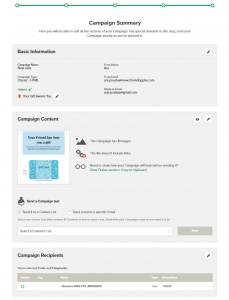
- To see Smart Subject suggestions, click on the Edit icon within Subject.
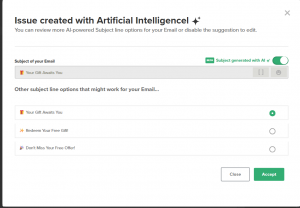
- You will now see all the suggestions that the AI has for your Campaign Subject.
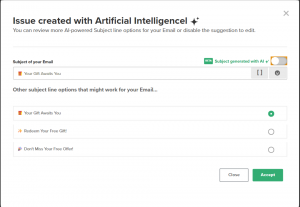
- If you prefer to edit the Subject line yourself, simply disable AI generation by clicking the green button.
Final considerations
AI Smart Subjet is a tool designed to optimize your time and improve the quality of your campaigns, helping you simply explore new ideas and approaches.
We recommend trying this feature in different campaigns and combining it with your experience and knowledge of your audience to get the best results.
If you have questions about how to use it or need help, our Support team is here to assist you. Write to us at [email protected].


 Loading...
Doppler informs you that the personal data that you provide to us when completing this form will be treated by Doppler LLC as responsible for this web.
Purpose: To allow you to make comments in our help center.
Legitimation: Consent of the applicant.
Recipients: Your data will be saved by Doppler and Digital Ocean as hosting company.
Additional information: In the Doppler Privacy Policy you’ll find additional information about the collection and use of your personal information by Doppler, including information on access, conservation, rectification, deletion, security, cross-border data transfers and other issues.