
 ES
ES EN
ENHow to create a WhatsApp mass messaging campaign?
Did you know you can send bulk messages through WhatsApp? This feature lets you schedule message Campaigns to increase your reach and save time on management. Let’s see how to do it.
To get started, log in to your Doppler account and go to Conversations.
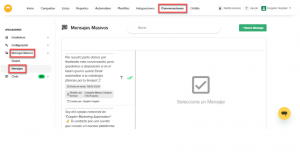
1. In the left-side menu, select Bulk Messages. From there you manage all the bulk messages you need to send or already have created:
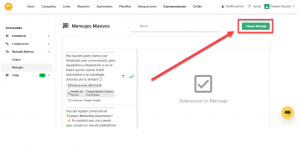
2. To create a new bulk Campaign, click New message:
3. Set up your Campaign by selecting the recipients, the template you want to send, and the day and time you want it to go out:
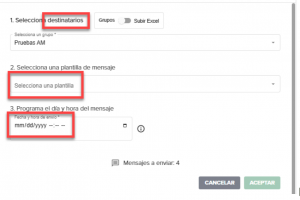
For recipients, choose a previously created Group or import them through an Excel file.
- Groups: only for sending templates without variables.
- Excel: allows sending templates with variables.
If you want to learn how to create each one, check out our article: How to create a Group for a WhatsApp bulk message Campaign?
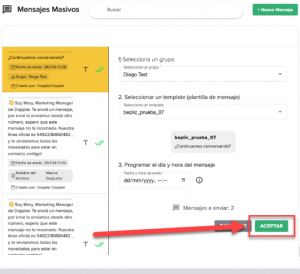
4. Once you complete all the steps —choosing the template, selecting the sending Room, and setting the day and time (you can schedule it up to 5 minutes in advance)— click the green Accept button. Your WhatsApp bulk Campaign will be scheduled to send at the time you set.
How to handle replies to your bulk messages
1. Go to the Chats section. From there you manage conversations when your Contacts reply to your messages.
2. Click the corresponding WhatsApp Room:
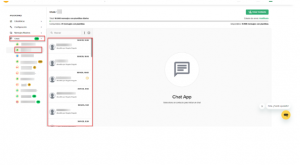
From three dots you filter by chat status: closed, in progress, unseen, unanswered, or answered, based on your preference.
Great! Now you’ve learned how to create a WhatsApp bulk message Campaign and make your communication even more effective.
Questions or comments? Reach out to our Support team by email at [email protected], via WhatsApp, live Chat, or through our Social Media. 💛


 Loading...
Doppler informs you that the personal data that you provide to us when completing this form will be treated by Doppler LLC as responsible for this web.
Purpose: To allow you to make comments in our help center.
Legitimation: Consent of the applicant.
Recipients: Your data will be saved by Doppler and Digital Ocean as hosting company.
Additional information: In the Doppler Privacy Policy you’ll find additional information about the collection and use of your personal information by Doppler, including information on access, conservation, rectification, deletion, security, cross-border data transfers and other issues.