
 ES
ES EN
ENHow to manage your Collaborators?
1. Log in to your account. Haven’t signed up for Doppler yet? Do it for free here.
2. Go to the user menu in the upper right corner, enter Control Panel and select Profile Settings.


3. Here you add a new Collaborator. Click the Invite a Collaborator button.

4. Enter the Email of the person you want to add to your account, making sure it’s spelled correctly, and click Next.

5. Select the sections of your account you want to grant access to, and click Next.

6. You see this confirmation message. Click Finish.
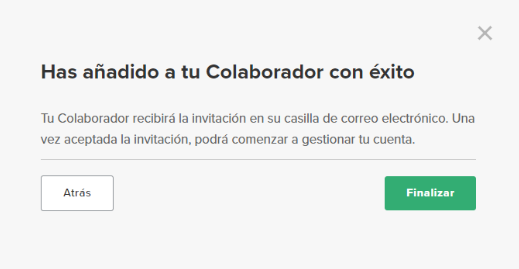
7. The person you added receives the Email invitation, which they need to accept to access the account.
8. From that same screen, you can edit permissions, resend the invitation, or deactivate the Collaborator if you change your mind.

That’s it! The person you added can now access the account’s different categories, making daily work easier.
Have questions? Reach out to our customer support team on WhatsApp or by email at [email protected]
We’re here to help 

 Loading...
Doppler informs you that the personal data that you provide to us when completing this form will be treated by Doppler LLC as responsible for this web.
Purpose: To allow you to make comments in our help center.
Legitimation: Consent of the applicant.
Recipients: Your data will be saved by Doppler and Digital Ocean as hosting company.
Additional information: In the Doppler Privacy Policy you’ll find additional information about the collection and use of your personal information by Doppler, including information on access, conservation, rectification, deletion, security, cross-border data transfers and other issues.